Kidduca 3D:Kids Learning Games
- 4.6
- Rating
- 50.00K
- Installs
- Free
- Price

 Analysis by App-foxy
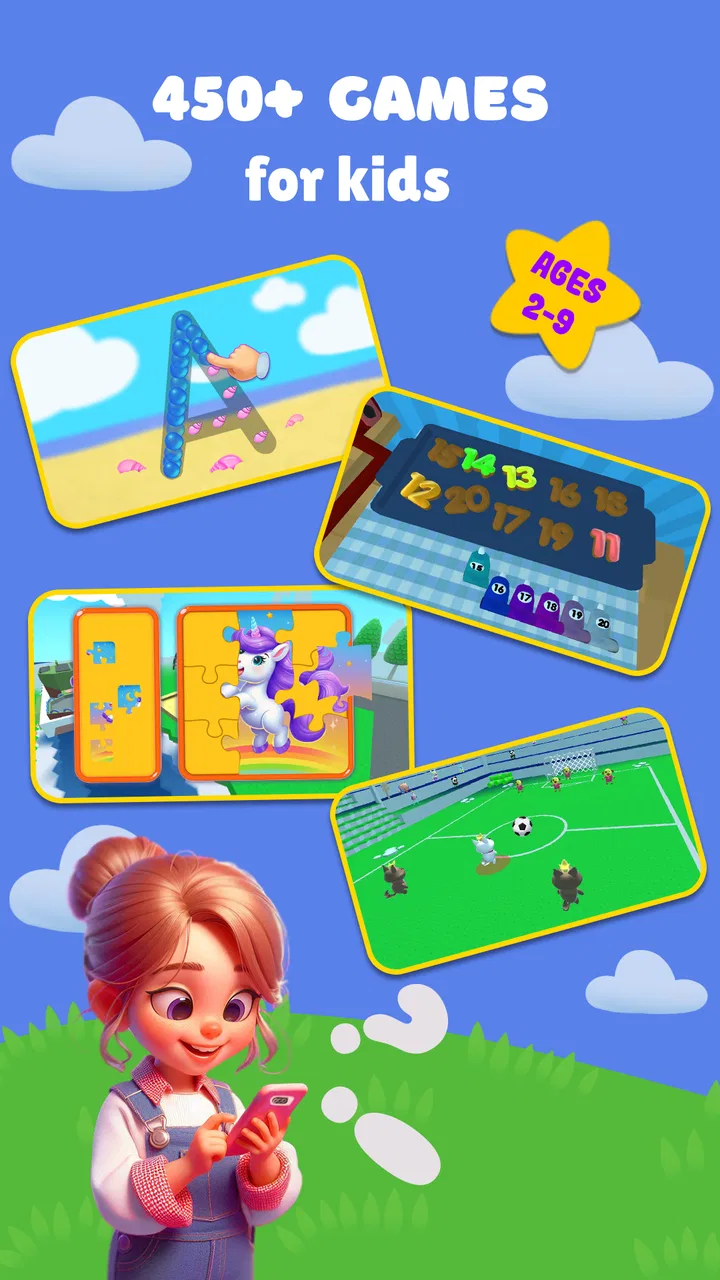
My first impression of Kidduca 3D is that it tries to make early learning feel like play rather than a worksheet. It is an educational game for young children, built around familiar subjects such as numbers, letters, colors, and languages, with a car-racing element adding movement and a little excitement. I can see why that combination would appeal to a child who loses interest quickly when an activity feels too much like a lesson.
The important thing is that this is not aimed at older children looking for a deep challenge. It is designed for the early-learning stage, and its Everyone rating reflects that broad audience. The developer, Play & Learn: Online Educational Apps for Kids 2–7, clearly positions the game around children in those first years of learning. In my view, that focus is useful: the subjects are recognizable to parents, while the playful presentation gives children a reason to stay involved.
It is free to start, which makes trying it with a child straightforward. There are in-app purchases ranging from $6.99 to $55.99 per item, so I would personally explore the free experience first and decide whether it fits a child’s routine before spending anything. That is especially sensible with a preschool learning game, because a child may enjoy the visual style but still prefer a different kind of activity after a few sessions.
You May Also Like

 Blood Strike: 2.5 Anniversary
Blood Strike’s Loadouts Turn Every Drop Into a Tactical Gamble
A close look at Blood Strike’s custom loadouts: how fast access to signature weapons reshapes its battle royale rhythm, rewards preparation, and narrows the gap between fights.

 Pandora - Music & Podcasts
Pandora’s Music Is Easy to Start, but Harder to Recover
Pandora’s strength is its low-effort path from a seed to a station. Its weak spot is how much confidence it asks you to place in connection, setup, and quiet recovery.

 8 Ball Pool
 Is Built on Rivalries, Rematches, and Routine
A close look at the rivalries, rematches, shared routines, and unanswered safety questions that turn a quick pool match into a persistent mobile community.

 Samsung Music
’s Quiet Strength Is Playing What You Already Own
Its reach comes less from spectacle than from dependable access to a personal library. That simplicity is both the app’s strongest retention engine and its ceiling.

 AccuWeather: Weather Radar
AccuWeather Review: A Quick, Clear Forecast for Everyday Decisions
For everyday plans, the best forecast is the one you can understand quickly. AccuWeather makes rain timing, radar, and local conditions easy to act on, with a few trade-offs.

 Hill Climb Racing
Why Hill Climb Racing Still Turns Crashes Into One More Run
A tiny car, a bumpy hill and one more upgrade: Hill Climb Racing keeps resurfacing because its simple chaos makes every near-miss feel personal.
More From Our News Desk
View All News


A colorful learning world with a clear purpose
I see this section as a closer look at how Kidduca 3D’s colorful 3D setting and car-racing theme shape its appeal for young learners. I’ll focus on what that lively presentation can add to a short practice session, while keeping the learning goal—not the excitement alone—at the center.
How the setting supports early learning
The strongest idea here is the contrast between calm learning topics and the energy of driving. Letters, colors, math, and languages can seem separate when presented in a traditional lesson. Putting them inside a game gives parents a more natural way to move between activities. A child might begin with a simple recognition task, then switch to something more active when attention starts to fade.
I would describe the visual language as friendly and accessible rather than demanding. The 3D presentation gives the game a sense of space and movement, while the educational subjects keep that presentation grounded. This matters for very young players: the world needs to feel inviting quickly, because a complicated interface can become a barrier before learning even begins.
The car-racing idea also gives the experience a recognizable identity. Many early-learning apps rely almost entirely on flashcards, matching exercises, or short quizzes. Those formats can be useful, but they often feel static. Here, the racing theme creates a playful frame around the lessons. I would not choose it as a replacement for a structured preschool curriculum, but I do see it as a way to make brief practice sessions less repetitive.
One practical tip is to treat the game as a transition activity rather than leaving it open-ended. A short session before breakfast, after daycare, or while waiting for an appointment may work better than expecting a young child to sit through a long block of practice. The mix of learning and racing is likely to be most effective when the adult keeps the goal small: a few letters, a color exercise, or a short math activity, not mastery of every subject in one sitting.
The value of switching between subjects
The range of topics is one of the app’s most useful qualities. A child who is not ready for numbers may respond better to colors. Another child may enjoy letters but need more repetition with basic counting. Having these areas together lets a parent follow the child’s mood without opening several different apps.
That flexibility also creates a trade-off. A broad collection can feel less focused than an app dedicated only to phonics, counting, or a particular language. If your main goal is to support one specific skill in a carefully ordered way, a specialized learning tool may be the better choice. Kidduca 3D makes more sense for families who want a varied early-learning space and are comfortable guiding the child toward the most useful activity.
I would also avoid assuming that the presence of several subjects automatically creates a complete learning path. The game can support exposure and repetition, but a child still benefits from talking with an adult, handling real objects, drawing letters, counting toys, and hearing language in everyday situations. The best use is alongside those experiences, not instead of them.
Sound, rhythm, and the feeling of play
Sound and pacing are particularly important in a game for small children. Even a simple activity can feel rewarding when the rhythm of tapping, moving, and receiving feedback keeps the child oriented. The racing component appears to serve that purpose by giving the experience a livelier pulse than a quiet sequence of questions.
For me, the key question is whether the energy remains connected to the learning. A fast visual moment can attract attention, but it should not become the entire reason to play. The educational value is strongest when the child understands that the movement is part of completing an activity, rather than merely waiting for the next exciting scene.
Parents should watch the first few sessions for this balance. If the child talks about the cars but cannot remember what was practiced, I would shorten the racing portion or steer the session toward a quieter subject. If the child becomes more willing to repeat letters or colors because the game feels lively, then the presentation is doing exactly what it should: lowering resistance to practice.
Another realistic consideration is the home environment. A game with a playful pace may be ideal during an afternoon break, but less suitable immediately before sleep or during a quiet family moment. I would keep the volume comfortable, stay nearby at first, and use the game’s energy deliberately rather than treating it as background entertainment.
How the mechanics fit the intended age
The game’s mechanics are most convincing when they reduce the distance between recognizing something and responding to it. Young children need clear cause and effect. They should be able to understand what the activity is asking without reading long instructions or navigating a complicated menu. The combination of basic learning themes and simple play gives Kidduca 3D a reasonable foundation for that age group.
Still, parents should expect to provide some support. A child who is just learning letters or numbers may not know whether an incorrect answer means “try again,” “choose another option,” or “move on.” Sitting together for the first few attempts can turn confusion into a useful conversation. I would ask the child to say the letter or color aloud, point to objects in the room, or count nearby toys after completing a math activity. That small extension makes the digital exercise more meaningful.
A second useful workflow is to connect the game to one real-world theme at a time. After practicing colors, ask the child to find three blue objects. After working with letters, look for that letter on food packaging or a book cover. After a math activity, count steps or pieces of fruit. This approach prevents the game from becoming an isolated screen habit and gives the child a chance to show understanding away from the device.
The car-racing element may be especially helpful for children who need movement to stay engaged, but it may be less appropriate for a child who becomes frustrated by speed or competition. In that case, I would favor the calmer educational parts and keep sessions short. The right measure is not how long the child remains on screen; it is whether the child leaves the session curious, confident, and willing to try again.
Who should use it, and who may want something else
I think this game is a good fit for parents looking for one free starting point that combines early math, ABC practice, colors, language exposure, and a playful driving theme. It is also useful for families with more than one young child, since different children can gravitate toward different subjects. The broad age focus makes it approachable for beginners who are still learning how to use educational apps independently.
I would be more cautious if you want detailed progress tracking, a tightly sequenced teaching program, or a tool built around one school-readiness target. In those cases, a dedicated phonics, counting, or language app may offer a clearer routine. I would also skip it if your child strongly dislikes racing themes or becomes overstimulated by colorful, active presentation. A quieter puzzle or story-based learning app could be a better match.
It is worth remembering that the game is free but includes optional purchases. Before handing the device to a child, I would check the purchase settings and make the boundaries clear. That is not a criticism unique to this title; it is simply sensible whenever a child is playing on a device that can make purchases. The free entry point is convenient, but families should decide in advance whether they want to pay for anything beyond the starting experience.
Platform details and everyday practicality
The current version is 1.7.28, and the game requires Android 8.0 or later. That makes checking the child’s device an important first step, especially if the phone or tablet is older. On a compatible device, I would test the game myself before introducing it, not only to see whether it runs comfortably but also to understand how quickly a child can reach the different activities.
The store shows a 4.6 average from around 53 ratings, with over 50 thousand installs and 10 written reviews. Those figures suggest that the game has found an audience, but they are not a substitute for observing your own child. Early-learning preferences vary widely: one child may enjoy repeating a color activity, while another may need a slower explanation or a different visual style.
A practical setup is to use a tablet on a stable surface rather than holding a phone close to the child’s face. Sit beside the child during the first session, name what is happening, and notice which activities produce concentration rather than random tapping. If the child repeatedly skips a subject, that is useful information. You can return to it later through toys, books, or conversation instead of forcing the digital exercise.
My verdict on the overall mood
What I like most about Kidduca 3D is the way it gives early learning a playful setting without abandoning recognizable educational goals. The 3D world and car-racing idea add motion and personality, while the subjects keep the game connected to skills parents actually want to practice. Its mood is best described as energetic, approachable, and suitable for short bursts of shared play.
Its limitations are equally clear. A lively presentation will not suit every child, and the wide subject range may feel less rigorous than a focused learning program. The optional purchases also mean I would not leave a child to explore the app without adult preparation. Most importantly, the game works best as a prompt for interaction, not as an electronic substitute for teaching, conversation, and hands-on discovery.
For my recommendation, I would start with the free experience, play alongside the child, and choose one small learning goal per session. If the child enjoys the racing atmosphere and begins connecting the activities with real objects and words outside the screen, the game can become a useful part of an early-learning routine. Its real strength is not turning every lesson into a race, but using a playful world to make repetition feel easier.
In the end, I would recommend Kidduca 3D to families who want variety, simple educational themes, and a more active mood than a standard flashcard app. I would point families seeking a structured, single-subject curriculum toward a specialized alternative instead. Used with reasonable limits and a little adult guidance, it offers a friendly way to practice foundational ideas while keeping the experience light enough for young children.
FAQs for Kidduca 3D:Kids Learning Games
01What is Kidduca 3D: Kids Learning Games?
Kidduca 3D: Kids Learning Games is an educational app designed to make early learning more engaging through colorful three-dimensional activities. It typically combines simple challenges, interactive scenes, and child-friendly exercises focused on basic skills such as recognition, memory, problem-solving, and coordination. The playful presentation can help children learn at their own pace while keeping lessons more entertaining than conventional worksheets or flashcards.
02What age group is Kidduca 3D: Kids Learning Games suitable for?
The app is mainly intended for young children in the preschool and early elementary stages, although the ideal age can vary depending on a child’s development and previous experience with educational games. Younger children may need an adult to explain instructions or guide them through the menus. Parents should review the listed age rating and activity descriptions before downloading to confirm that the content matches their child’s abilities.
03Does Kidduca 3D: Kids Learning Games require an internet connection?
Some features may work without a constant internet connection after the application has been installed, but this can depend on the version, downloadable content, advertisements, account services, or updates. It is best to open the app once while connected to Wi-Fi and check which activities remain available offline. Parents who want to limit mobile data usage should also review the device’s app settings before allowing children to play.
04Is Kidduca 3D: Kids Learning Games free to download and safe for children?
The app may be available as a free download, but certain lessons, features, or additional content can depend on in-app purchases or advertising. Before handing the device to a child, parents should check the store listing, privacy information, and purchase settings. Using parental controls, disabling unauthorized payments, and supervising the first sessions are sensible precautions, especially if the app connects to external links or online services.
05What learning skills can children practice with Kidduca 3D: Kids Learning Games?
Kidduca 3D: Kids Learning Games is designed to support several early-learning abilities through interactive play. Depending on the activities included in the installed version, children may practice visual recognition, concentration, memory, hand-eye coordination, logical thinking, and basic problem-solving. The app should be viewed as a supplementary learning tool rather than a replacement for reading, creative play, conversation, or guidance from parents and teachers.
Pros
- Bright 3D visuals make lessons engaging for young children.
- Interactive activities encourage learning through play.
- Covers multiple early-learning topics in one app.
- Simple controls are suitable for children with limited reading skills.
- Short activities work well for brief learning sessions.
Cons
- Some content may feel too easy for older preschoolers.
- Requires a compatible device with enough storage for 3D assets.
- In-app purchases may be needed to unlock all activities.
- Frequent play can become repetitive without new content.
- 3D graphics may use more battery than basic learning apps.

Kidduca 3D:Kids Learning Games
Gallery